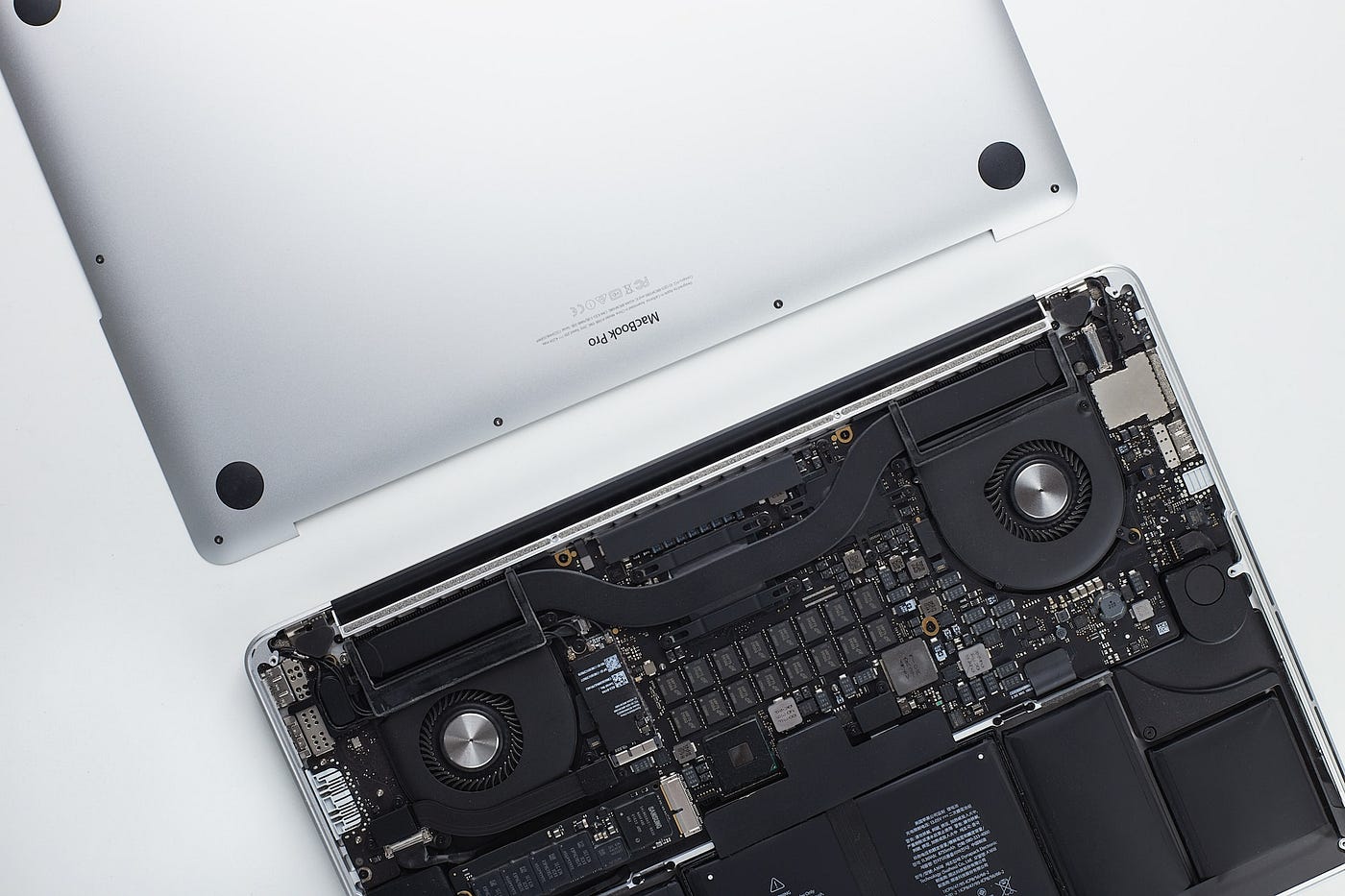
Yes, low‑power AI laptops (AI PCs with efficient NPUs/SoCs) are strongly aligned with where the market is going and will be a major part of the future of personal computing.
Why low‑power AI laptops matter
AI PCs integrate dedicated neural processing units (NPUs) so they can run AI workloads on‑device instead of sending everything to the cloud, which reduces latency, preserves privacy, and cuts energy use. Vendors like Microsoft, Qualcomm, Intel, AMD and ARM OEMs are standardizing on this model, with “Copilot+” or similar labels now tied to minimum on‑device AI performance at relatively low power budgets.
At the silicon level, ARM‑based and NPU‑heavy designs deliver high TOPS at far lower watts than traditional x86‑only CPUs, enabling 15–20+ hours of real‑world battery life in thin‑and‑light laptops while still running local LLMs, vision models, and assistive AI features.
Market and ecosystem trends
Analysts project the AI PC / AI laptop segment to grow extremely fast this decade, from tens of billions of dollars today to well over 100–250 billion USD by around 2030–2033, implying that AI‑capable, more efficient machines will become the majority of new PCs. Within that, ARM‑based and other highly efficient architectures are expected to be the fastest‑growing slice, driven by better performance‑per‑watt and all‑day mobility.
OS vendors are also optimizing scheduling so that background AI tasks (vision, transcription, personalization, etc.) sit on the NPU instead of CPU/GPU, which directly translates to lower system power draw for the same or better user experience.
For your use cases
Given your background in AI/ML and trading/engineering workloads, the key is performance per watt rather than raw TDP: modern AI laptops can run local copilots, small/medium LLMs, and on‑device inference efficiently, while you still offload heavy training or backtests to cloud/GPU rigs. The industry trajectory suggests your next few laptop cycles will almost certainly be “AI PCs” by default, with each generation delivering more TOPS/W and better battery life, so designing workflows that assume a low‑power, NPU‑rich client plus beefy cloud back‑end is a future‑proof strategy.
AI will improve laptop energy efficiency by running more work on specialized low‑power hardware and by using smarter, prediction‑based power management in the OS and apps.
Dedicated low‑power AI hardware
Modern AI laptops add NPUs (neural processing units) that execute AI tasks with far better TOPS‑per‑watt than CPUs or GPUs, so the same workload consumes less energy and generates less heat. Reviews and vendor data already show that offloading AI features (background transcription, image enhancement, copilots) to NPUs can extend battery life by roughly 30–40% under AI‑heavy usage compared with running them on CPU/GPU.
Future chips will push this further by redesigning memory and compute, for example with in‑memory or analog AI accelerators that promise orders‑of‑magnitude higher TOPS per watt than current GPU‑style designs, making on‑device AI much cheaper in energy terms.
Smarter OS‑level power management
Research on “energy‑aware scheduling” uses AI/ML predictions of workload and deadlines to decide when to run tasks fast, when to slow down, and when to consolidate work so more parts of the system can sleep. Experiments on edge/embedded platforms show these AI‑driven schedulers can cut energy use for inference or mixed workloads by around 20–35% while keeping performance similar, and similar ideas are being adapted to PCs.
On laptops this means the OS will increasingly:
-
Predict when you will be active or idle and pre‑schedule heavy tasks when they are cheapest in energy.
-
Route AI and background jobs to the most efficient engine (NPU vs CPU vs GPU) in real time.
Model and software efficiency
“Green AI” work focuses on smaller, more efficient models and pruning/quantization so that useful AI features run with fewer operations and less memory traffic, directly lowering power draw. Hardware–software co‑design from vendors (e.g., tuning models specifically for each NPU generation and removing software bloat) is expected to further reduce per‑task energy over the next few hardware cycles.
AI laptops are already available at student budgets, and over the next few years the “AI tax” on price should shrink so that both students and AI engineers/data scientists can use them as standard machines.
Will AI laptops get cheaper?
Right now, AI‑branded laptops are typically about 10–15% more expensive than comparable non‑AI models because of newer CPUs/NPUs and premium positioning. Market analysts expect this premium to reduce as AI features become standard and volumes grow, similar to how SSDs and Wi‑Fi once moved from premium to default.
In India, “AI‑ready” laptops with Intel Core Ultra or Ryzen AI chips and NPUs are already showing up from around ₹40k–₹55k for entry/thin‑and‑light models, with higher tiers for creators and gaming; prices are trending down as more brands enter.
Suitability for students vs AI professionals
Guides from OEMs and reviewers explicitly list separate target segments:
Students: light, affordable AI laptops (e.g., Acer Swift AI, HP 15 / Spectre variants) aimed at note‑taking, coding, office work, and using copilots for study help.
Professionals (AI engineers, data scientists): higher‑end AI laptops with more RAM, stronger GPUs, and higher NPU performance, for local experimentation, smaller models, and on‑device tooling, often complemented by cloud or dedicated GPU rigs for heavy training.
For a typical CS/engineering student, an entry‑level AI laptop with 16 GB RAM, NPU, and decent integrated GPU is enough for coursework, basic ML projects, and running compact LLMs or vision models locally. For serious AI engineers or data scientists, the practical setup is usually an AI laptop as a low‑power, NPU‑enabled client plus remote GPUs or clusters for large‑scale training and production workloads.
Over the next year, AI laptop prices are more likely to rise slightly than fall, mainly because of a global memory crunch and strong demand for AI‑capable machines.
Expected price trend (next 12 months)
Analysts and OEM warnings suggest overall laptop prices (including AI models) could increase by roughly 5–15% in 2026, with some brands signaling hikes closer to 15–20% as soon as late 2025 or early 2026. The main driver is soaring DRAM/NAND costs due to AI data‑center demand, with reports of memory ASPs up about 50% in 2025 and another big jump forecast into early 2026, which significantly raises the bill of materials for AI PCs where RAM share is now near 18–20% of total cost.
At the same time, AI PCs are moving from niche to mainstream, so vendors are shipping more AI‑ready models by default, which keeps average selling prices elevated even if per‑unit AI hardware costs slowly fall. In India, current AI‑laptop lists still cluster in the mid‑ to high‑range (roughly ₹70k–₹1.5L for most branded “AI laptops”), and there is no sign yet of a big drop in that band within the next year.
What this means if you plan to buy
Short term (next 6–12 months), waiting is unlikely to give you a cheaper AI laptop; if anything, you may pay a bit more for similar specs, especially for 16–32 GB RAM configs that AI work benefits from. The main benefit of waiting would be access to slightly higher‑TOPS NPUs becoming mainstream (40+ TOPS class), not lower base prices, so timing should be based more on your feature needs than hope of a big discount.
Yes. AI‑data‑center demand for chips and memory is already pushing up component prices, and that pressure is spilling directly into laptop and AI‑laptop pricing.
Why data centers affect laptop prices
-
AI servers use the same DRAM and (to a large extent) NAND flash that laptops and desktops use, but in far larger quantities and with much higher willingness to pay, so manufacturers prioritize HBM/DDR5 for data centers.
-
Analyses of the 2025 RAM shortage show contract prices for key DDR5 parts jumping several‑fold in a few months, with DRAM ASPs up around 50% in 2025 and forecast to climb further into 2026, largely blamed on AI‑server demand.
Impact on PC and AI‑laptop pricing
-
Major OEMs (Dell, Lenovo, HP) have already announced or signaled 15–20% price hikes on PCs and laptops because memory now takes a much bigger share of the bill of materials than in 2024.
-
Retail and channel reports in India and elsewhere attribute rising DDR5 and NVMe prices for consumer systems directly to memory makers steering capacity to more profitable AI‑data‑center customers, creating a “new normal” of higher PC build costs.
What to expect near term
-
As long as AI data centers keep absorbing most incremental DRAM/HBM capacity, memory and some CPU/GPU/NPU lines will stay supply‑constrained, so AI laptops and higher‑RAM configs (16–32 GB) are likely to see the steepest price impact.
-
Relief will depend on new fab capacity and a cooling of AI‑infrastructure spending; current industry commentary suggests tight supply and elevated prices could persist through at least 2026, not just a one‑quarter blip.